

Organization
In the organisation you map how your company is structured and how it works together, as far as that is relevant for the Process Space.
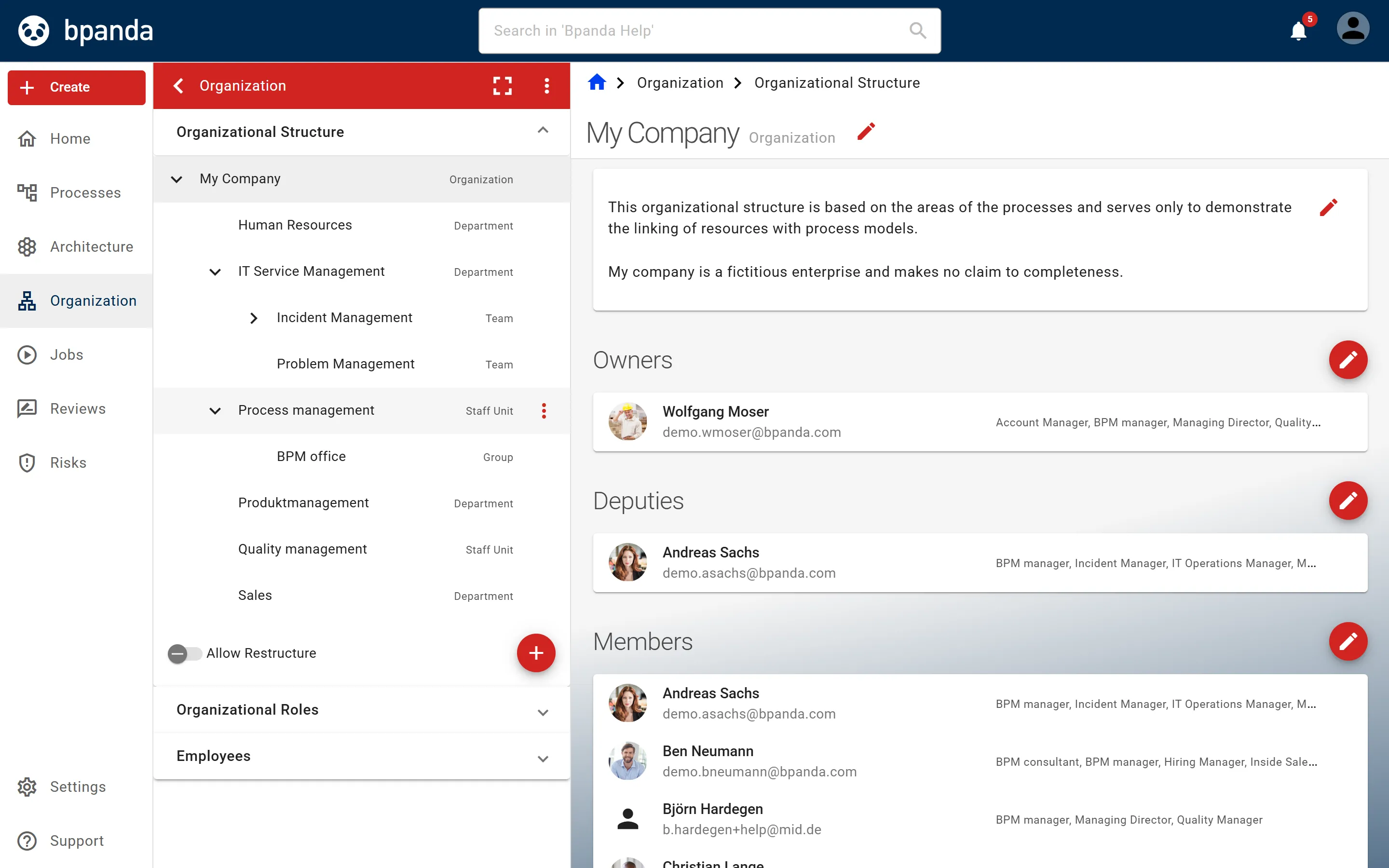
In the main menu, Organisation opens the page of the same name. On the left, it lists the sections Organisational Structure, Organisational Roles and Employees; the Define Types page is located in the ⋮ submenu. Only the BPM Manager may make changes here, and even then only as long as the organisational structure is not maintained from Innovator.
If the organisational structure is transferred from Innovator with the Innovator Connector, the person transferring it decides with the Allow editing of the organizational structure in Bpanda switch whether it remains editable in Bpanda. If the switch is off, the structure is locked in Bpanda. As a BPM Manager, you can recognise this by the note “The hierarchy of your organizational structure can only be edited in Innovator.” In that case you can neither change units, roles and types here nor assign employees. If the switch is on, you can continue working in Bpanda. However, a renewed transfer from Innovator overwrites your changes.
What is the purpose of the organisation?
An organisation serves to divide control over economic resources and business processes in a company among organisational units. Competencies and tasks are described by roles (positions) that are performed by specific people.
The organisational structure shows who is responsible for what in the company. This includes the hierarchy, i.e. who is superior or subordinate to whom (organisational structure), and cooperation across this hierarchy (process organisation). In Bpanda, alongside the hierarchical relationships between organisational units, other relationship types (e.g. functional cooperation) can also be managed.
As a BPM Manager, you build up the organisational structure of the part of your company that is relevant for the Process Space as a tree structure with several levels.
Which organisational aspects are managed?
This area covers four topics: organisational units, organisational roles, employees and the types with which you group units, relationships and roles.
- Manage organisational structure — build up the hierarchy of organisational units, assign persons responsible, deputies and members, and define relationships beyond the hierarchical ones. See also Add a relationship to another organisational unit.
- Manage organisational roles — describe the competencies and tasks of a position and assign organisational units to each other in both directions.
- Manage employees — assign Bpanda users as employees to the organisational units and organisational roles.
- Define organisation and role types — assign types to organisational units, their relationships and organisational roles in order to map how they are grouped.
You will find Organisation for this in the Bpanda main menu.
Context
On the left, the Organisation page lists the three expandable sections Organisational Structure, Organisational Roles and Employees. Organisational Structure is expanded when the page is opened.
To expand a collapsed section, click the arrow icon on the right; clicking it again collapses it.
The Employees section contains the pages Assigned Organisational Roles and Assigned Organisational Units. You open the Define Types page via the ⋮ submenu of the Organisation page; Back closes it again.