

Architecture
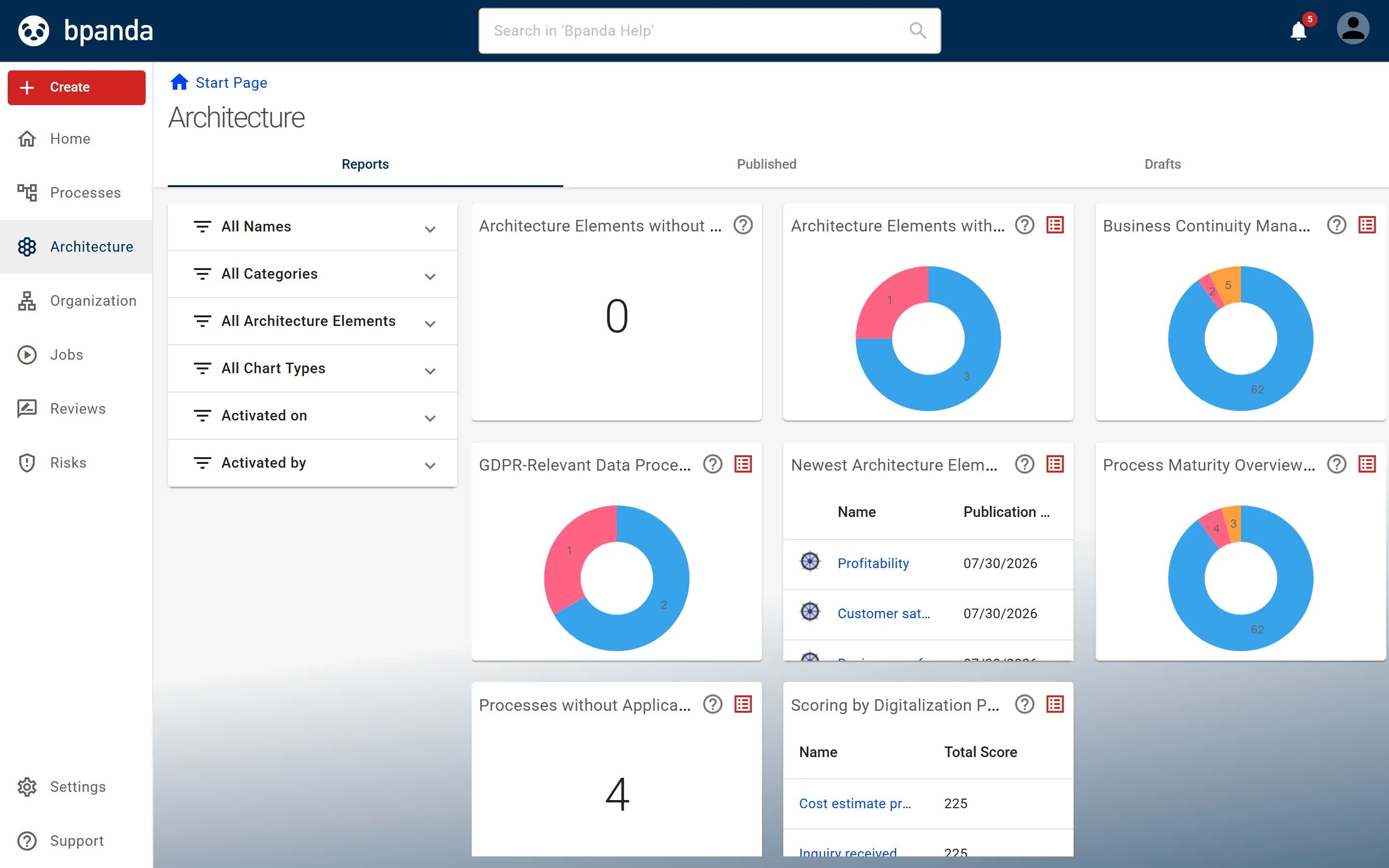
In the Architecture area, you map your enterprise architecture: architecture elements according to ArchiMate, their relationships to each other and to processes, plus reports on your inventory.
An architecture element is, for example, an application component, a business object or a location; the types follow the ArchiMate® 3.2 specification.
You reach the area via Architecture in the main menu. It only appears if your licence includes it.
An architecture element always takes the same path in Bpanda: someone creates or imports it, works out the draft, links it and publishes it; after that, tiles report on the inventory.
- Finding and viewing architecture elements — search and filter the inventory and open an individual element.
- Creating and publishing architecture elements — create new elements and make them visible.
- Importing architecture elements from ArchiMate® XML — take over an existing inventory.
- Editing architecture elements — change properties, responsible persons and visibility.
- Linked architecture elements and relationship types — connect elements with each other and with processes.
- Reports — dashboard, available reports and the criteria of the AI potential assessment.
- Defining architecture settings — which element types and reports exist in the Process Space.
The three tabs
-
Reports
This tab opens first. Each tile shows the result of a report — for example architecture elements without responsible persons, or processes without applications and technical support. See Using the architecture dashboard.
-
Published
All published architecture elements, with filters, sorting and a jump to the page of an individual element. BPM Managers and Designers export the filtered list from here as an ArchiMate® XML file. See Finding and viewing architecture elements.
-
Drafts
The elements in the Process Space that have not been published yet. BPM Managers and Designers see all drafts here. Everyone else only sees the drafts they are allowed to see, for example those of the elements they are responsible for; for them the tab only appears if such drafts exist. With the I am responsible person switch, you narrow the list down to your own. Here you create new ones, import elements from an ArchiMate® XML file, export the filtered list into such a file and publish them. See Creating and publishing architecture elements.
Who may do what
Everyone with access to the Process Space may read.
BPM Managers and Designers may create, edit and publish.
In addition, there is responsibility at the level of the individual element: the Responsible Person for an architecture element may edit and publish this element. They may also discard its draft, hide and show the element, link it and enter further responsible persons. Creating new elements, importing from ArchiMate®, exporting to ArchiMate® and publishing all drafts at once remains reserved for BPM Managers and Designers. See Roles and authorizations.
Which element types and reports exist in the Process Space at all is determined by a BPM Manager. See Defining architecture settings.
Business processes are architecture elements too
Every process also appears as an architecture element of the type Business Process. You maintain these elements on the process page, not in the architecture area. If you publish the process, hide or show it, or its version is no longer valid, the same applies to its architecture element.
See also: Available reports, Linked architecture elements and relationship types