

Adding a Risk or a Chance
Record a risk or a chance for a process or a process element — from the process page to the saved entry.
A risk or a chance can be recorded for the entire process or for an element of a published process version.
Prerequisites
You must be responsible for the process.
A risk analysis can only be created for published process versions, not for processes that are under review.
To save a risk or a chance, you must enter at least the title.
Context
When you record opportunities and risks on processes and process elements, you see where in the process landscape things particularly matter for the company. You can then keep a close eye on these points.
Chances and risks that affect the entire process are shown at the top left of the process as a red warning triangle (risk) or as a white arrow on a green background (chance).
The risks and chances recorded for the individual process elements are shown directly on the element with a corresponding icon.
By default, the Add Risk/Chance dialog is set to record a risk.
Among other things, you specify a description and a responsible person. You assess the probability of occurrence and the extent of impact or the extent of success in a matrix. From this, Bpanda automatically determines the priority.
You can record the title, description and possible effects in multiple languages.
The Assessment Matrix
With Advanced Editing, you assess the probability of occurrence and the extent in a matrix instead of using the selection lists. For a risk, the probability of occurrence is set against the extent of impact; for a chance, against the extent of success. Bpanda determines the priority from the field you select.
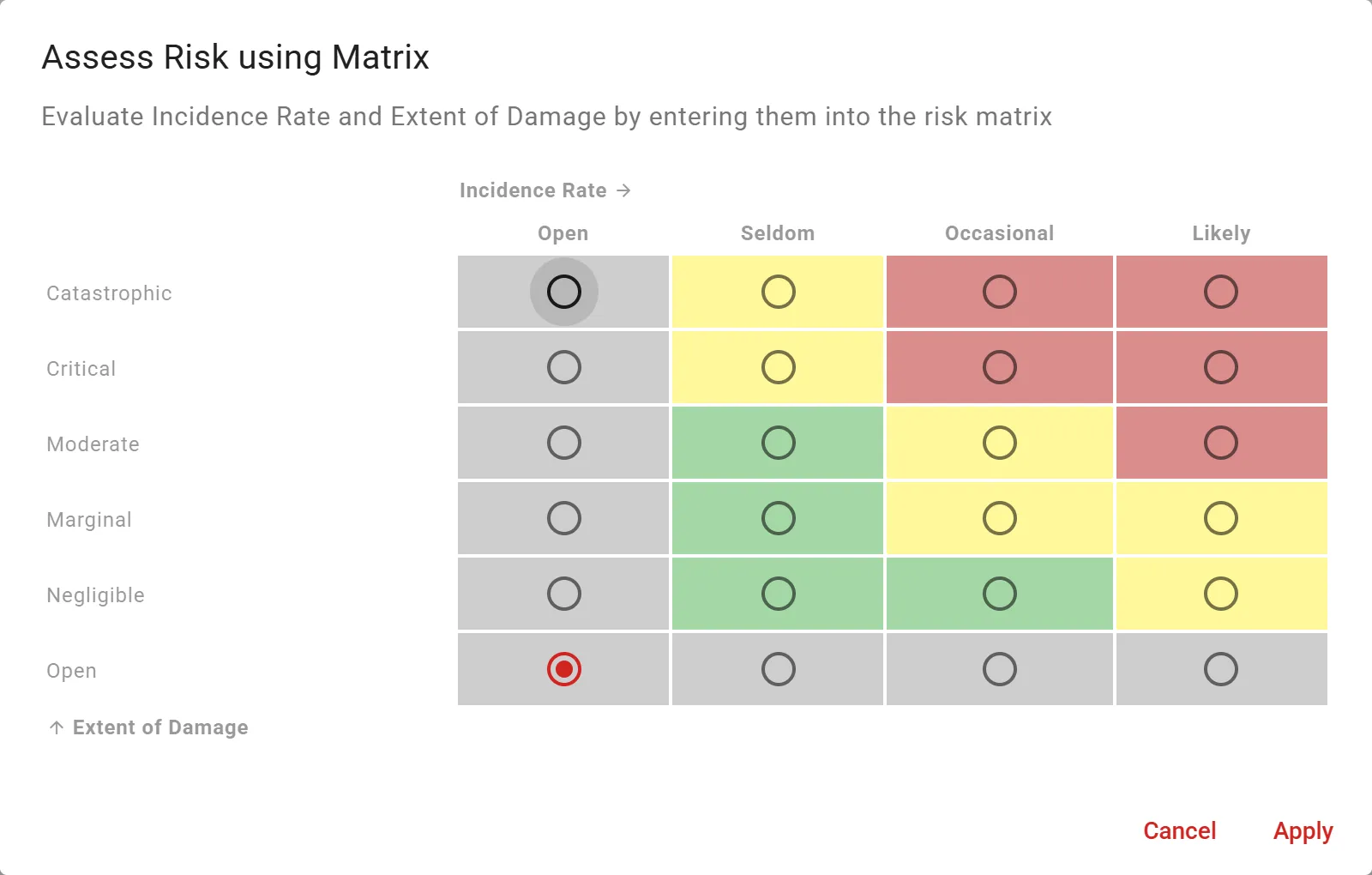
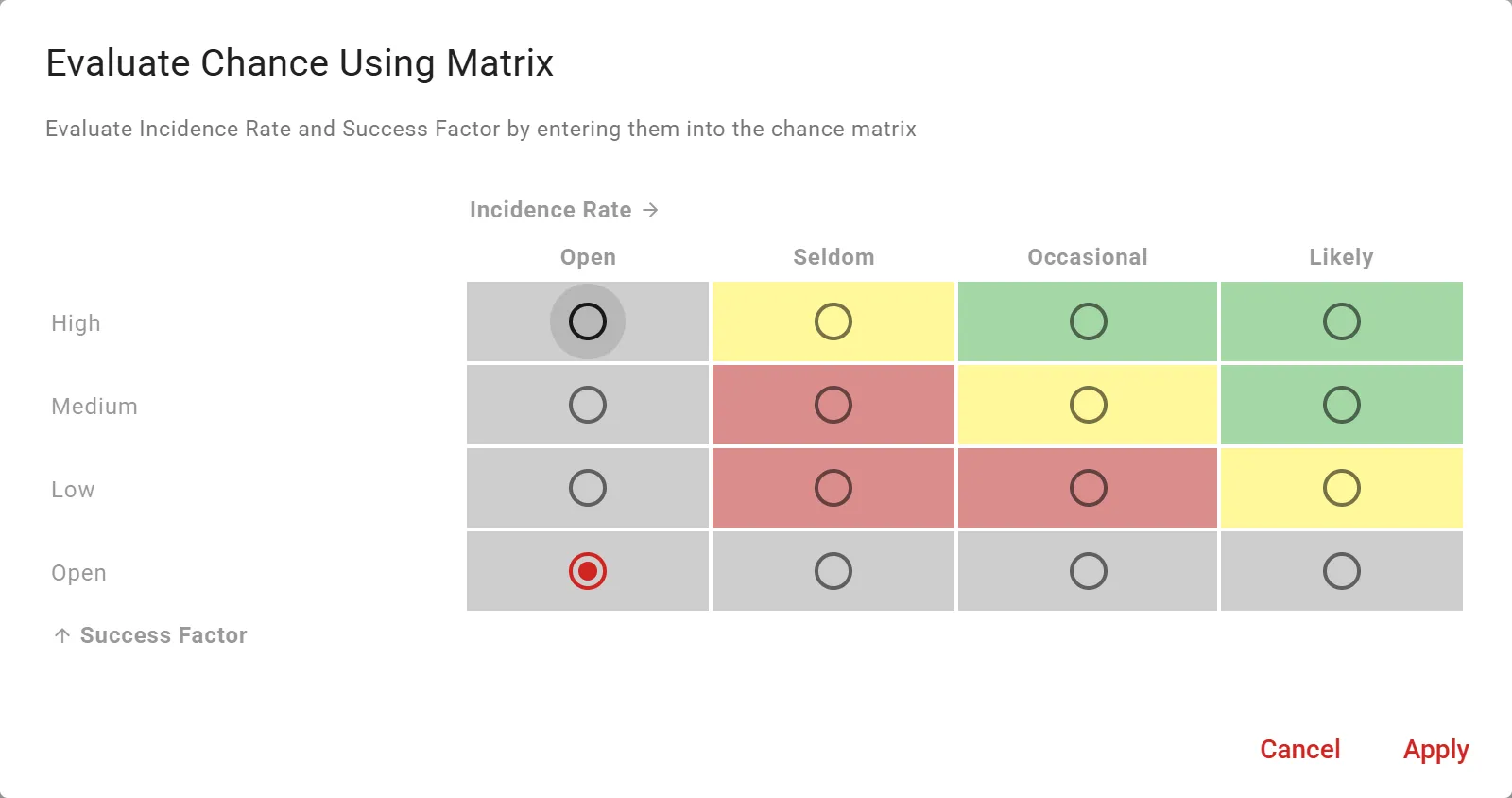
How many levels the matrix has and what they are called is defined by your Process Space. Your matrix may therefore differ from the illustrations.
Procedure
-
To record a risk or a chance for a process, go to the process page, click ⋮ in the top right corner and then click Analyze Risks in the menu.
The Risk Analysis for <Process> page appears. The process is selected.
-
To record a risk or a chance for a process element, select the element in the process diagram.
-
To select the process again, click the process icon below the process diagram.
-
Click Add Risk/Chance.
The dialog of the same name appears.
The toggle is set to Risk.
-
To record a chance, click Chance in the toggle.
No risk category is managed for chances.
-
To use a template, click the template icon and select a template in the Select Template dialog.
The entries from the template are applied.
-
Enter the Title and a Description of the risk or the chance.
-
Under Possible Effects, describe the specific effects.
-
For a risk, select the Risk Category from the selection list.
-
Click Identifier and select the person or organizational unit that discovered the risk or the chance.
-
Click Responsible Person and select the person who is responsible for the risk or the chance.
-
Assess the Probability of Occurrence and the Extent of Impact (for a risk) or the Extent of Success (for a chance) using the selection lists or, alternatively, using Advanced Editing in the assessment matrix.
The priority of the risk or the chance is determined automatically based on the selected probability of occurrence and extent. The section The Assessment Matrix above shows how the matrix is structured.
-
Click Record Risk or Record Chance.
Chances and risks are shown in the top left corner of the process or the process element as a red icon (risk) or as a green icon (chance).
See also: Publishing a Risk Analysis