

Managing the Process Space
As a BPM Manager, this is where you define what applies to the entire Process Space: hierarchy, users and roles, competences, Modeler, appearance, and analytics.
On the Manage Process Space page, you as the BPM Manager define what applies to the entire Process Space. You can access it in the main menu under Settings.
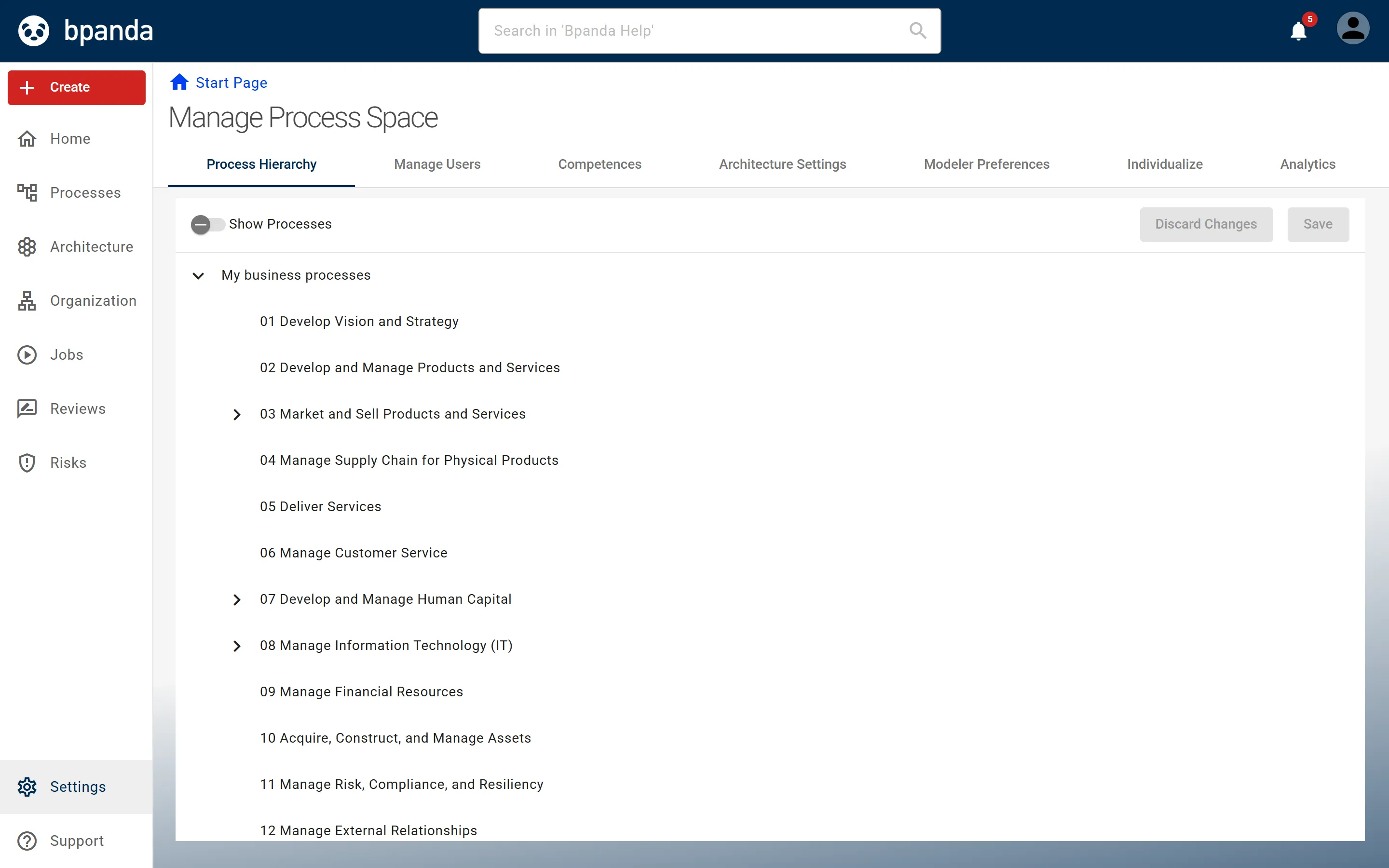
The page is divided into tabs. Each tab has its own instructions.
- Process Hierarchy tab — structure and management of the hierarchical structure of the processes. The structure can be created and changed by drag-and-drop exclusively here; processes that have not yet been assigned are listed in a filterable list next to it. This is described in the Process Hierarchy section.
- Manage Users tab — the lists of BPM Managers, Risk Managers, and Process Designers as well as all users and groups in the Process Space. See Assigning users and Bpanda roles, Inviting users to the Process Space, Appointing a further BPM Manager, and Appointing Risk Managers.
- Competences tab — process-specific competences that allow the Bpanda roles in a process to be named more precisely without changing the role concept. See Creating and assigning competences.
- Architecture Settings tab — only with active enterprise architecture. See Defining architecture settings.
- Modeler Settings tab — global properties, shape size, color, permitted element types, and validation of the integrated Modeler. See Defining Modeler settings.
- Individualize tab — languages, use of certain functions, layout of the Process Space, and view of the start page. See Individualizing the Process Space.
- Analytics tab — overview information about Processes, Reviews, Q&A, Organization, and Jobs. See Using analytics.
What is managed elsewhere
Three tasks of the BPM Manager are not located on this page:
- Handling several processes at once — on the Manage Processes page in the Processes main menu, see Manage Processes.
- Going through the approval process of a process version — see Releasing and publishing processes.
- Completing and publishing risk analyses — see Managing risks and opportunities.